
The forecast said light snow after midnight. What arrived at 2 AM was eight centimetres an hour and a wind that drifted every cleared lot shut again within the hour. The plan for the night was a list of addresses in a spreadsheet, sorted roughly by the order someone typed them in three seasons ago. By 6 AM the two most important customers, a hospital car park and a logistics terminal, were still white, while two crews had crossed each other's paths four times on the same ring road.
Nobody planned a bad night. The route just wasn't built to survive contact with a real storm. That's the difference between a list of addresses and an actual route plan: one tells you where to go, the other tells you where to go first, what to skip when time runs out, and what to do when a truck breaks down halfway through.
This guide walks through how professional winter contractors plan routes before the season starts, and how to keep those routes honest once the snow is falling.
Why Route Order Matters More Than Route Length
Most route "optimization" talk focuses on total distance. Fuel matters, but in winter operations the expensive failure is rarely an extra ten kilometres. It's the priority-one site that got serviced fourth because it happened to sit at the wrong end of the loop.
Snow contracts are time contracts. A property manager doesn't pay you to eventually clear the lot, they pay you to have it clear before shift change, before the shop opens, before the first delivery truck arrives. Two routes with identical distance can have completely different contract risk depending on what order the stops come in.
Field note: when reviewing a route, don't ask "how long is it?" Ask "if this route gets cut in half by weather, which half did we just do?" If the answer isn't "the half with the contractual deadlines", the sequence is wrong.
Start With Priorities, Not Addresses
Before any sequencing, every location needs three pieces of information attached to it:
- Service window. When must this site be finished? A 24-hour logistics hub and a Saturday-closed office park are not the same job even if they're neighbours.
- Trigger conditions. Does this customer get service at 2 cm, at 5 cm, or only on call-out? Mixed triggers inside one route are where missed jobs hide.
- Site specifics. Where does the snow go? Which gate is open at night? Is there a height barrier that the big truck won't clear? The driver who has been there before knows. The substitute driver at 3 AM does not, unless it's written on the job.
Contractors who keep this data on the location, rather than in a veteran driver's head, can hand a route to any qualified driver and get the same result. That's also the only way to grow past the size where the owner personally knows every site.
Sequencing: Build the Route the Driver Actually Drives
With priorities set, sequencing becomes a solvable problem instead of a guess:
- Group by geography second, priority first. Clusters are efficient, but a priority-one site pulls the truck to it even when it breaks the pretty geographic cluster.
- Respect the machine. A route is only valid for a given vehicle. A tractor with a broom, a truck with a plough and spreader, and a sidewalk crew cover different ground at different speeds. Plan per vehicle type, not per driver.
- Sequence for the storm direction. Experienced operators run into the wind where drifting is worst, so cleared sites stay cleared behind them rather than filling in before the customer wakes up.
- Put the U-turns in the plan. If the route requires an illegal or impossible turn, the driver will improvise, and improvisation at 3 AM costs time. Drive the route once in autumn, in daylight, before it matters.
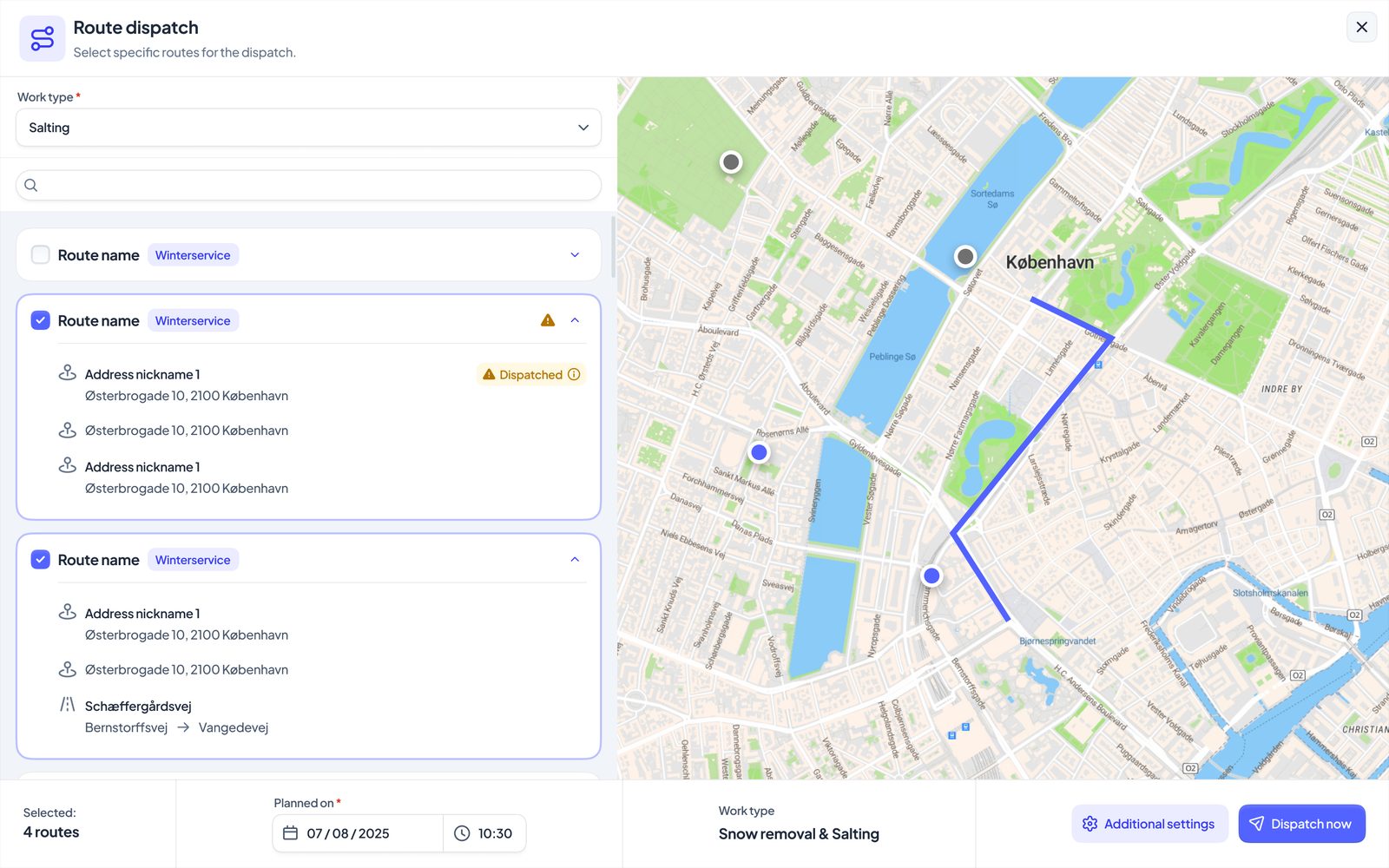
A digital route builder makes this dramatically faster because you can see every stop on the map while you drag the order around, and the drawn route is saved with the location so the knowledge survives driver turnover. If you're still building routes in a spreadsheet, the route planning tools in SnowManager were built for exactly this workflow.
Salting Routes and Clearing Routes Are Not the Same Route
A common planning mistake is maintaining one route per area and using it for everything. In practice the two main work types want different routes:
- Salting runs are fast, high-frequency, and often preventive. Stops are short, so drive time dominates, and tight geographic clustering pays off.
- Snow clearing runs are slow and effort-heavy. Time on site dominates, so priority order and machine match matter far more than distance between stops.
Keeping separate route definitions per work type also keeps documentation clean: the customer who buys salting only is never accidentally ploughed, and the invoice matches the contract.
Planning for the Night Everything Goes Wrong
A route plan that only works when everything works is not a plan. Before the season, answer these on paper:
- Truck down. Which route absorbs the dead truck's priority-one stops, and which of its own stops get pushed?
- Driver out sick. Can a substitute run the route from the information on the jobs alone? If not, the route depends on a person, and people get sick in January.
- Storm exceeds capacity. Which stops are officially allowed to slip, per contract, and who calls those customers before they call you?
- Subcontractor no-show. Which of your own crews back up which subcontractor areas?
Write the answers down where dispatch can see them at 3 AM. The middle of a storm is a bad time to invent policy.
Live Dispatch: The Plan After the Plan
Even a good plan starts decaying the moment the first flake lands. The gap between planned and actual is where the money leaks:
- A stop takes 40 minutes instead of 15 because a car is parked in the wrong place.
- The forecast shifts and half the salting run becomes a clearing run.
- A customer calls in an extra request in the middle of the night.
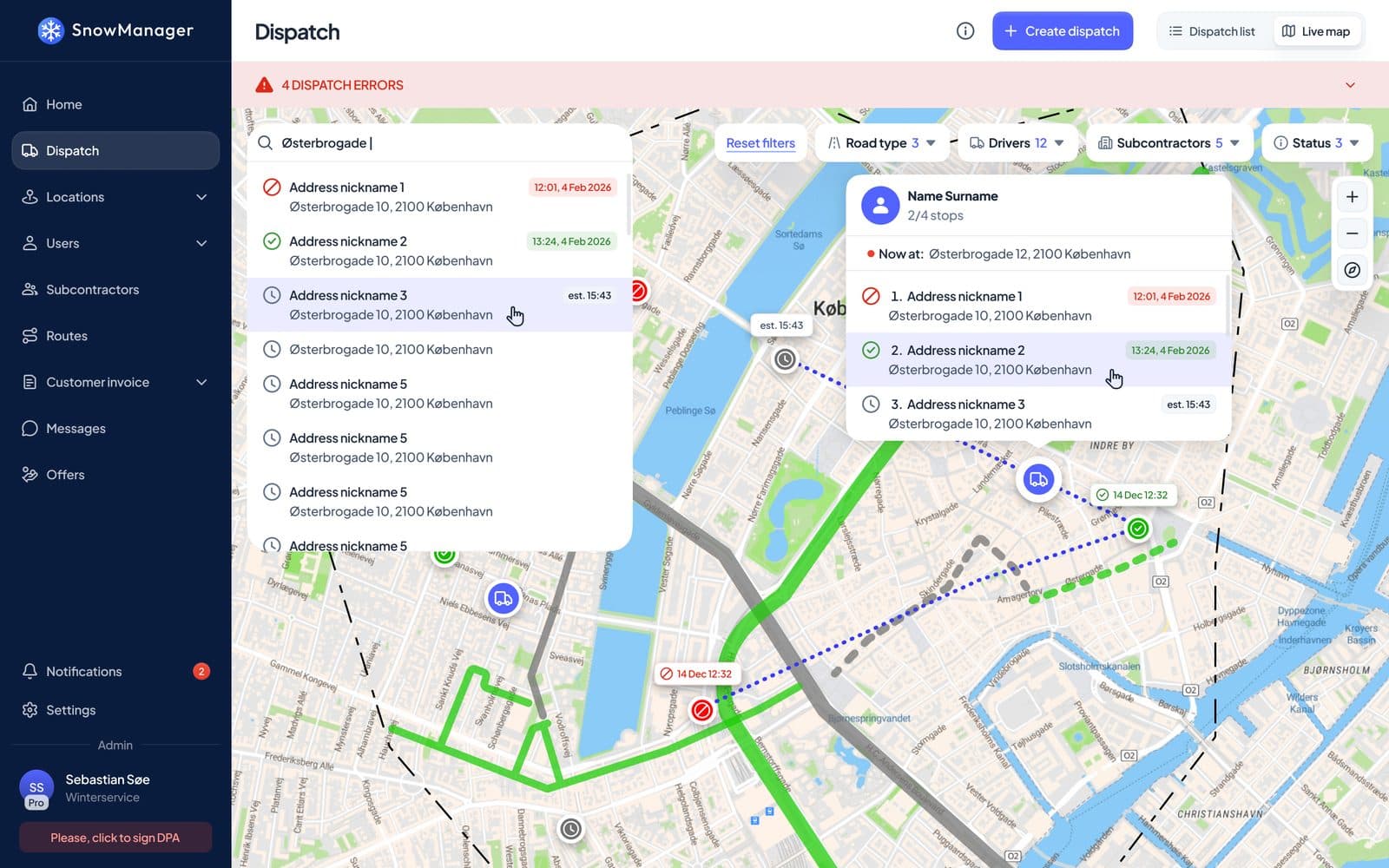
This is why live tracking earns its keep. When dispatch can see every vehicle, every completed stop, and every estimated arrival on one map, re-planning is a two-minute drag-and-drop instead of an hour of phone calls. Drivers get the change on their phone, the customer gets a realistic time, and nobody drives to a site that a colleague finished twenty minutes ago.
What to Measure After Every Storm
The route you start the season with should not be the route you end it with. After each significant event, review:
- Planned vs. actual time per stop. Sites that consistently run over are either under-quoted or under-equipped.
- Completion times vs. contract windows. Near-misses are warnings, not victories.
- Distance driven per route. Watch the trend rather than a single night.
- Skipped and disputed stops. Every one of them is either a route problem, a data problem, or a contract problem. Find out which.
Contractors who run this loop a few times a season typically find the savings compound: routes get tighter, disputes get rarer, and the same fleet covers more contracts. Our own customers describe the effect in How SnowManager Saves You 30% on Winter Operations.
Conclusion and Next Steps
Route planning for snow removal is not a math puzzle about distance. It's contract risk management on a map: priorities first, sequences that survive weather, separate routes per work type, failure plans written down in advance, and live dispatch to close the gap between plan and reality.
The best time to do all of this is before the first flake, when every mistake still costs nothing.
If you want to see what your routes look like in a purpose-built winter operations platform, book a demo and bring your worst route. We enjoy those. You can also check what the platform costs on our pricing page, and see the full feature set on the SnowManager homepage.