
Everything a driver needs, from invitation to finished route
The SnowManager app puts the night's work on the driver's phone: accept the dispatch, navigate stop by stop, document the work and finish the route. Even where the signal drops.
For iPhone and Android
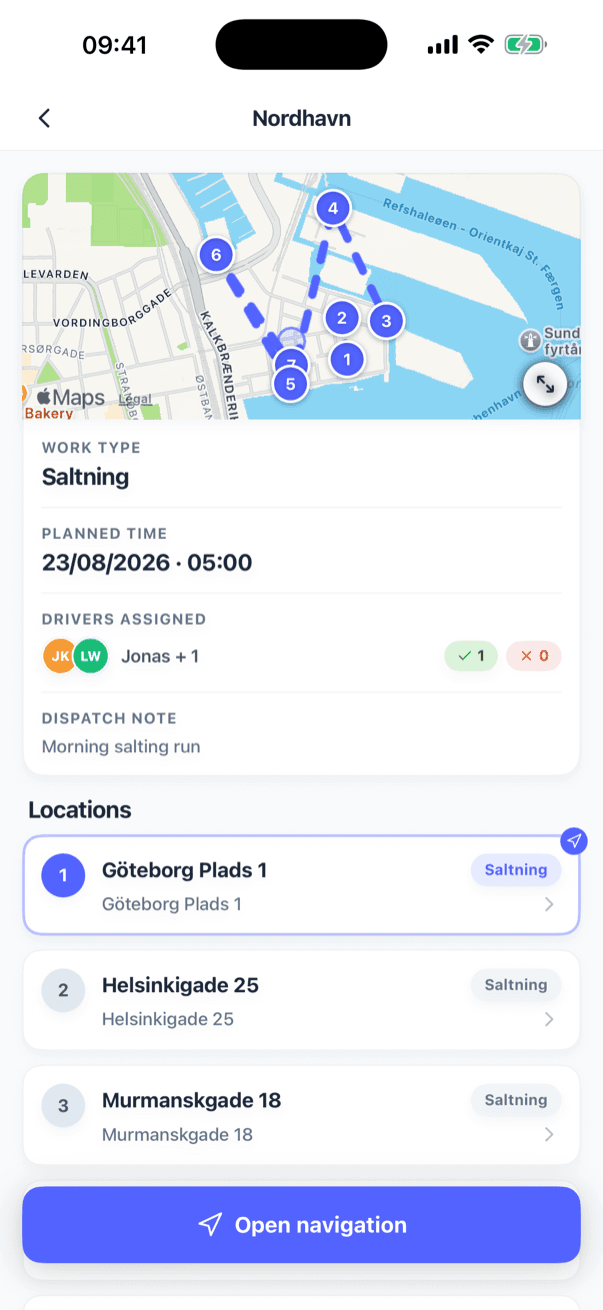
A snow night, from the driver's seat
Four steps, all in one app.
- 1
Accept the dispatch
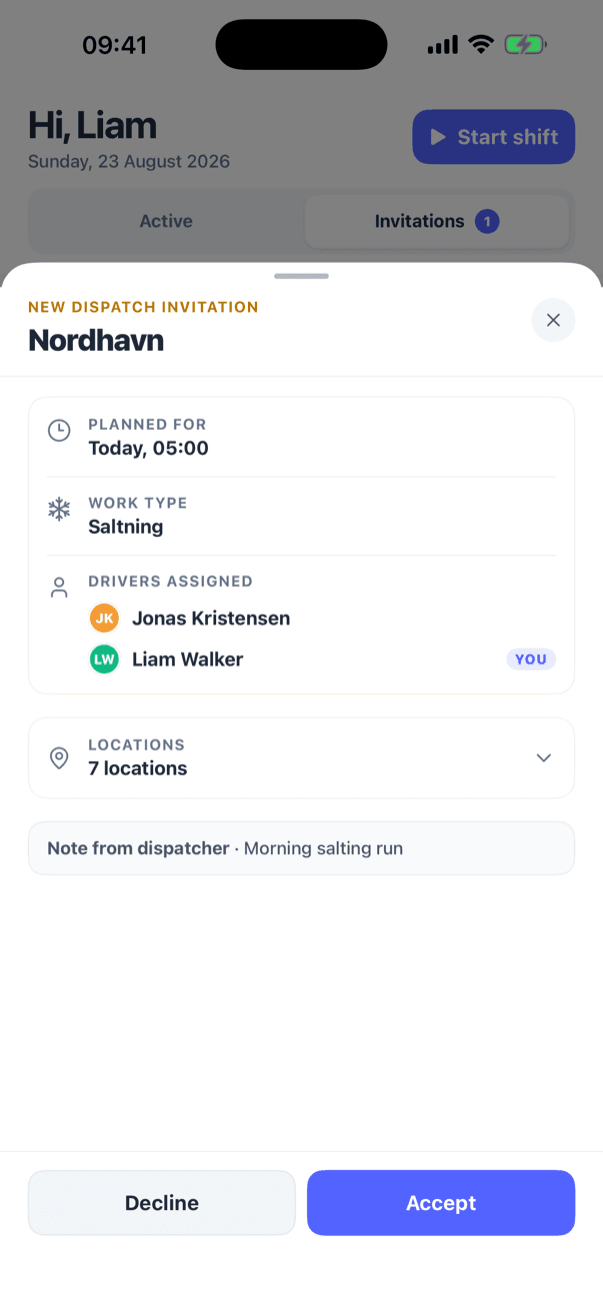
A push notification brings the invitation. The driver sees when, where and the dispatcher's note, then accepts or declines.
- 2
Drive stop by stop
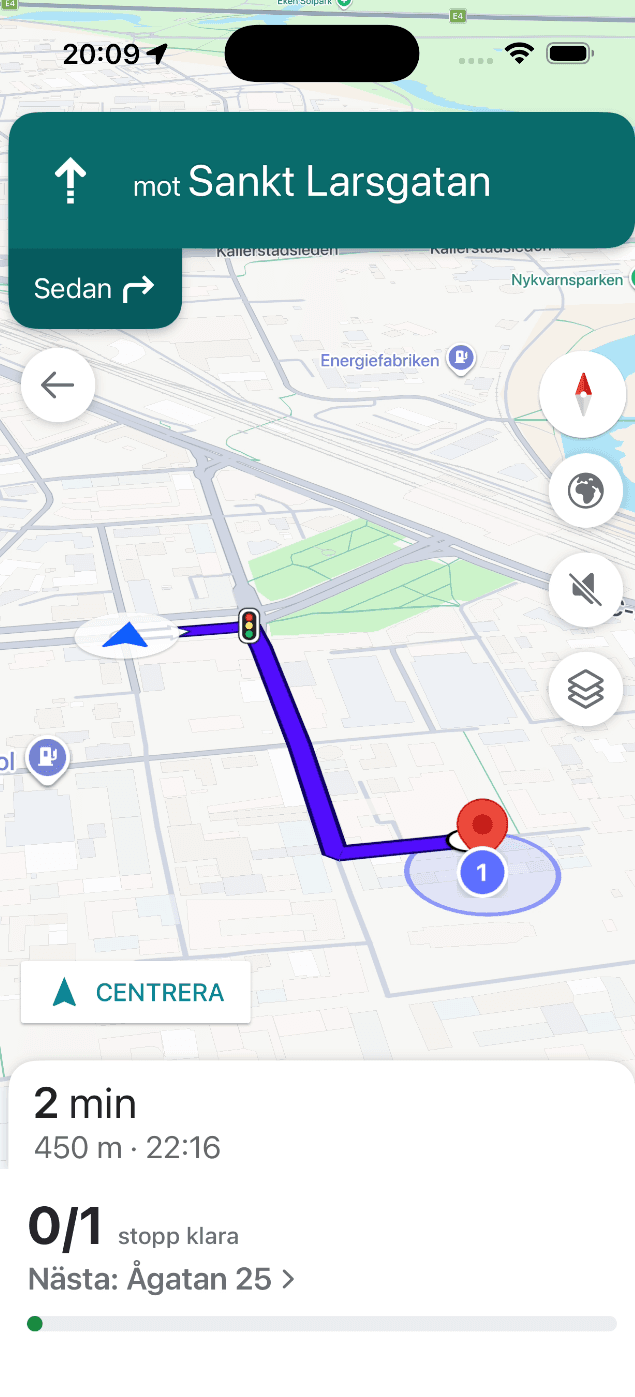
Navigation guides the way to each stop, or the whole road route is shown on a live map.
- 3
Document the work
Arrival and departure are picked up by GPS. Photos and notes are added where they are needed.
- 4
Finish the route
The route is finished from the phone, and everything reaches the office, now or as soon as the phone is back online.
Today's work on the home screen
Drivers open the app and see what is waiting for them. New dispatch invitations sit at the top, with the time, the stops and a note from the dispatcher.
- Accept or decline a dispatch invitation with one tap
- Push notifications for new invitations and changes to a dispatch
- Drivers see their own work, admins see the whole company's
- Start and end a shift from the home screen
Navigation built into the route
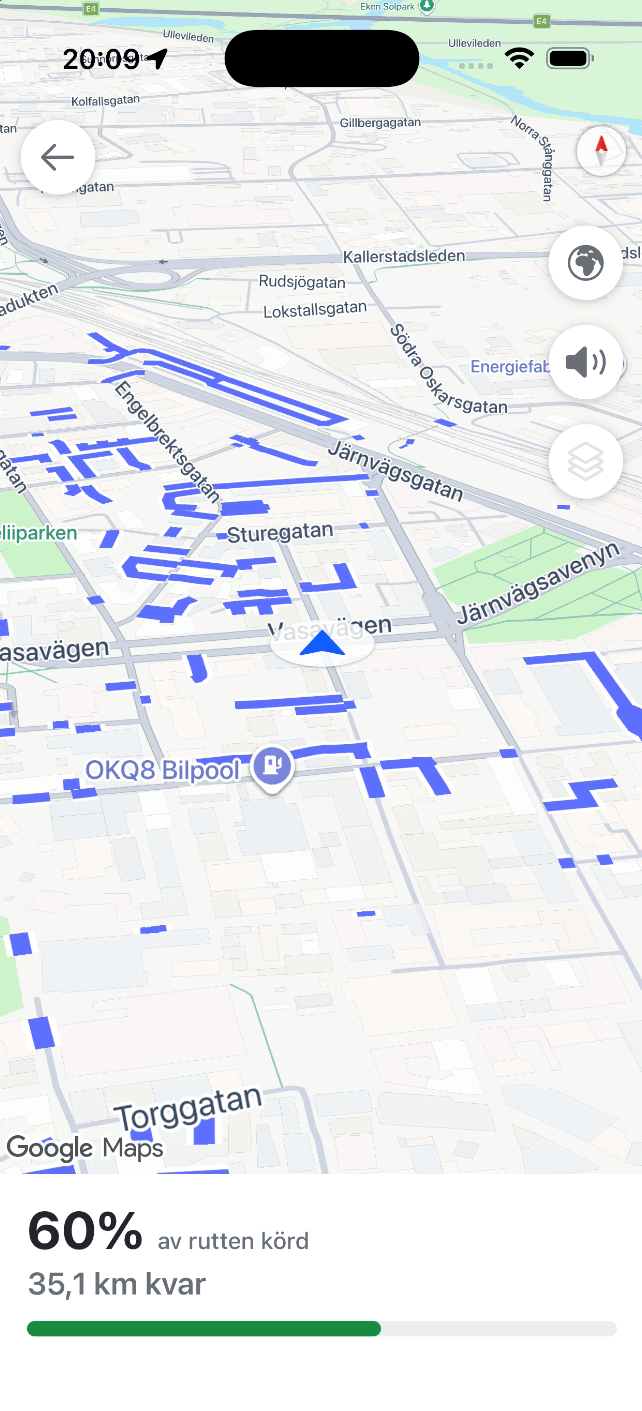
Turn-by-turn directions take the driver to the next stop without leaving the app. On a road route, the route is drawn on a live map and the road already driven turns green.
- Turn-by-turn navigation to one stop at a time
- Navigate to any stop on the list, not only the next one
- Prefer another app? Hand the trip to your phone's maps app
- See how much of a road route has been driven while driving it
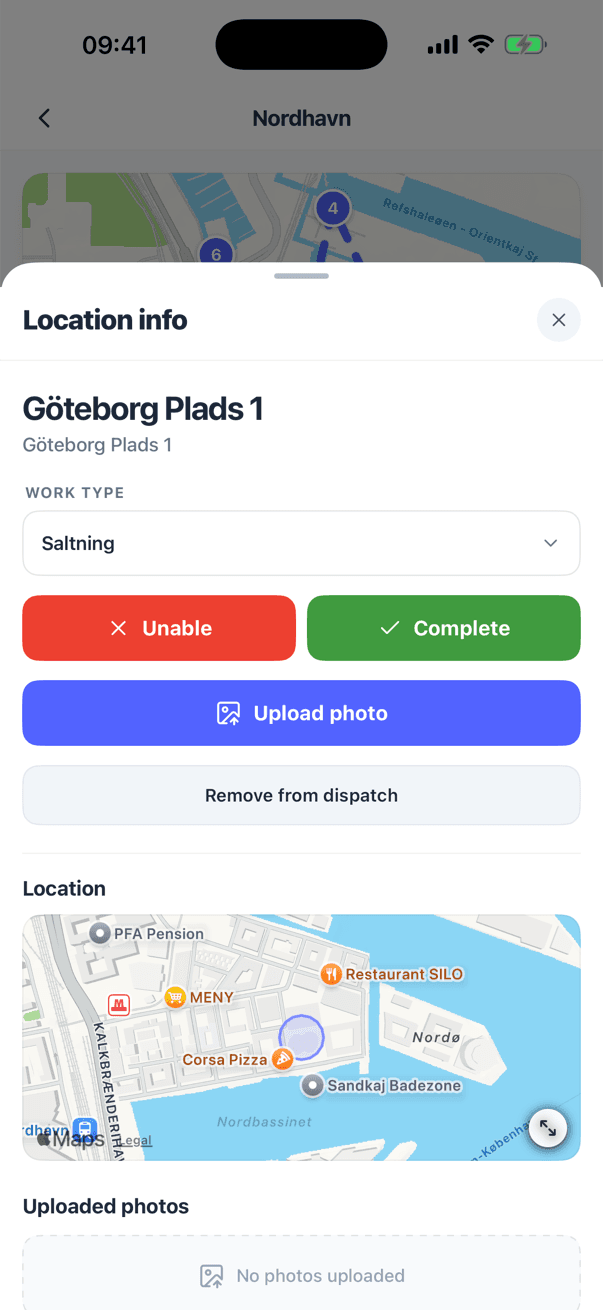
Proof of service without the paperwork
When a driver arrives at a stop and leaves again, GPS fills in the times. The driver reviews them, adds what the stop needs and completes it.
- Check-in and check-out filled in automatically from GPS
- Stops can require a photo before they can be completed
- Add notes and photos from the camera or the gallery
- Mark a stop as unable to complete, with a note or photo explaining why
Keeps working when the signal doesn't
Snow nights and rural roads do not come with full coverage. The app saves the dispatch on the phone, so drivers keep working and nothing is lost.
- Opened dispatches are saved on the phone
- Completed stops, notes and photos queue up while offline
- Everything syncs in order, with the times the work was actually done
- A clear banner shows what is still waiting to sync
No internet connection
3 changes saved on this phone, waiting to sync
Route
North route, salting
Library car park
Waiting to sync
Oak Avenue 3
Waiting to sync
Main Street 14
Harbour Road 22
Photo waiting to upload
Also in the app
The rest of a driver's working day, in the same place.
Shifts and hours
Start and end a shift from the phone, and look back over tracked hours for completed shifts.
Messages
Chat with dispatch one to one or in groups, and receive announcements from the office.
Push notifications
New invitations, cancelled or changed dispatches and new messages arrive as notifications that open the right screen.
Dispatch from the phone
Users who are allowed to dispatch can start a new dispatch, pick the crew and edit it without going to a computer.
Two-factor login
Protect accounts with a code from an authenticator app or by SMS.
Your language, your units
Available in English, Danish and Swedish. Units, dates and times follow the company's market.
Tracking only while there is work to track
Drivers are not followed around the clock. The app shares its position while a dispatch is open, so the office can follow the route and confirm which stops were served.
- Location is shared only while the driver has a dispatch open
- The drive screen shows when GPS is active, paused or stopped
- The position is used to follow the route and register visits at stops
- Data is stored in European data centres and handled under GDPR
Get the SnowManager app
Drivers sign in with the account their company invited them with.


More from SnowManager
Municipalities
Road routes, live coverage and street history for winter road maintenance.
GPS tracking and proof of service
Live map, automatic check-in at stops and an insurance report for every completed stop.
Invoicing
Invoice drafts from completed work, sent straight to your accounting system.
Subcontractors
Invite, dispatch and settle subcontractors from the same completed work.
See the app in a driver's hands
Book a 30-minute demo and we will walk through a dispatch from invitation to finished route.