
Know where the work happened, and prove it
SnowManager follows every run from the driver app. Stops check in and out on their own when a driver arrives and leaves, and every completed stop can produce a report with the GPS trail, times and photos.
Checked in automatically
Arrived inside the drawn area
Snow removal runs on trust until someone asks for proof
A customer disputes a visit, an insurer asks about a fall, an hourly bill looks too high. Without records, it is your word against theirs.
No view of the night
Jobs go out, but the office only learns what happened when drivers call in or come back in the morning.
Hours written from memory
Hourly work is billed on what drivers remember, and disputes follow.
Claims arrive months later
When a slip-and-fall claim lands in spring, the details of one night in January are long gone.
Arguments about the area
Was the whole car park cleared, or only the entrance? Nobody can show it.
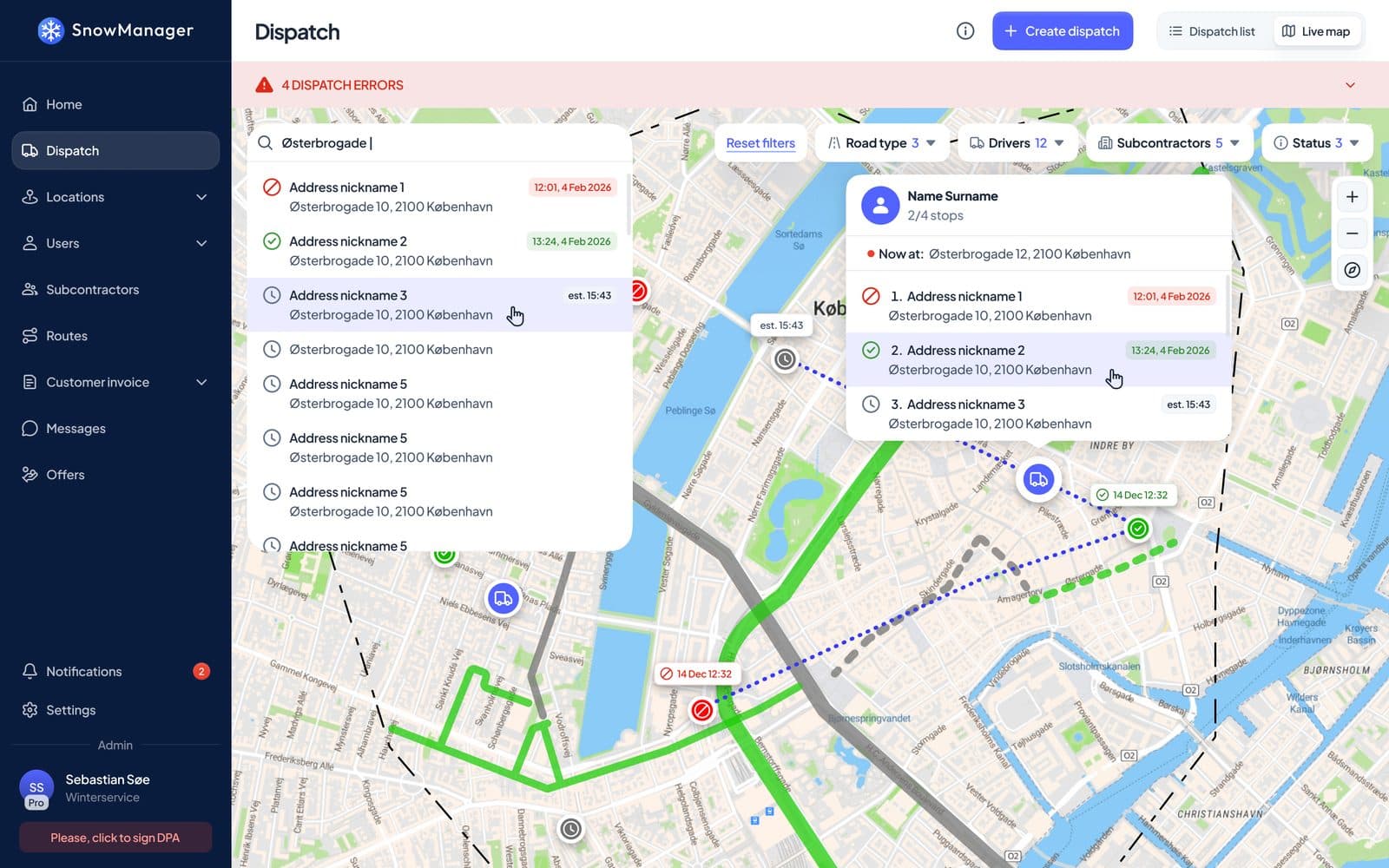
A live map of every run under way
See where every driver is, which stops are done and which are still waiting. The route that was planned and the road that was actually driven are drawn side by side.
- Driver positions for every running dispatch, updated as they drive
- Planned route and driven trail on the same map
- A count of how many units are out right now
- Filter by drivers, subcontractors and status
Stops check in and out on their own
When a driver arrives inside the area drawn for an address, the stop checks in. When they leave, it checks out and the stop is completed. Nobody has to remember to press a button in the cold.
- Check-in and check-out from the driver's GPS, with the true arrival time
- A short pass, such as driving by, registers nothing
- Where nothing is drawn, a circle around the address pin is used instead
- Detection radius and minimum stay can be adjusted for each address
Stop 4 of 12
Harbour Road 14, car park
- 04:12
Arrived
Entered the drawn area
- 04:13
Visit registered
Stayed past the minimum stay, check-in kept at 04:12
- 04:29
Photo added
Taken by the driver in the app
- 04:31
Checked out
Left the area, stop completed
Time on site
19 min
Registered by
GPS
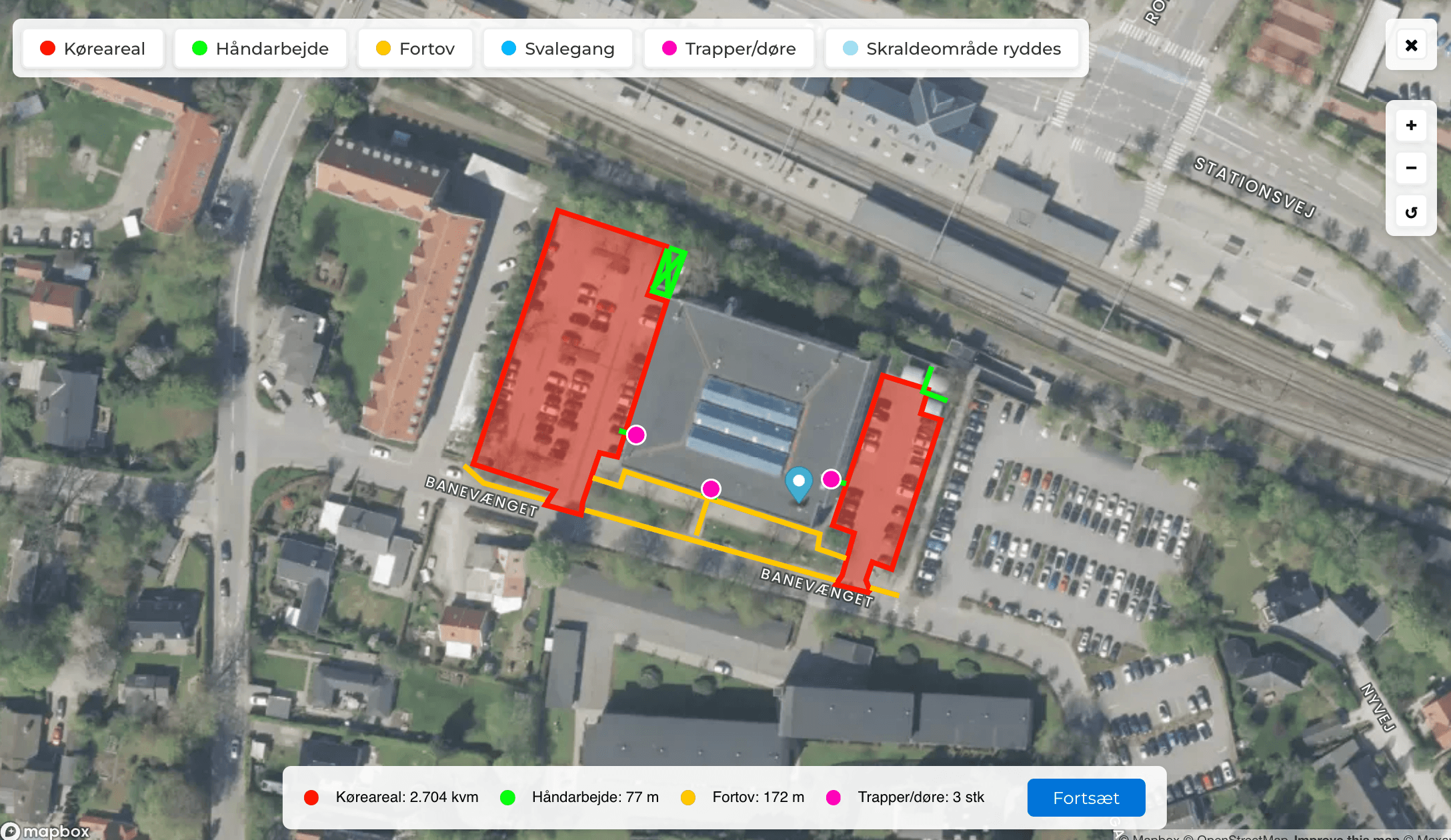
The drawn areas decide what counts as being on site
The same areas you draw to describe a job are the areas GPS is checked against. The phone records positions more closely inside them, so the trail shows how the area was worked.
- Draw driveways, car parks, footpaths and steps on satellite imagery
- Positions are recorded every few metres inside a drawn area
- The map legend on reports uses the names of the drawn areas
- Drivers see the same areas in the app
Replay any finished run
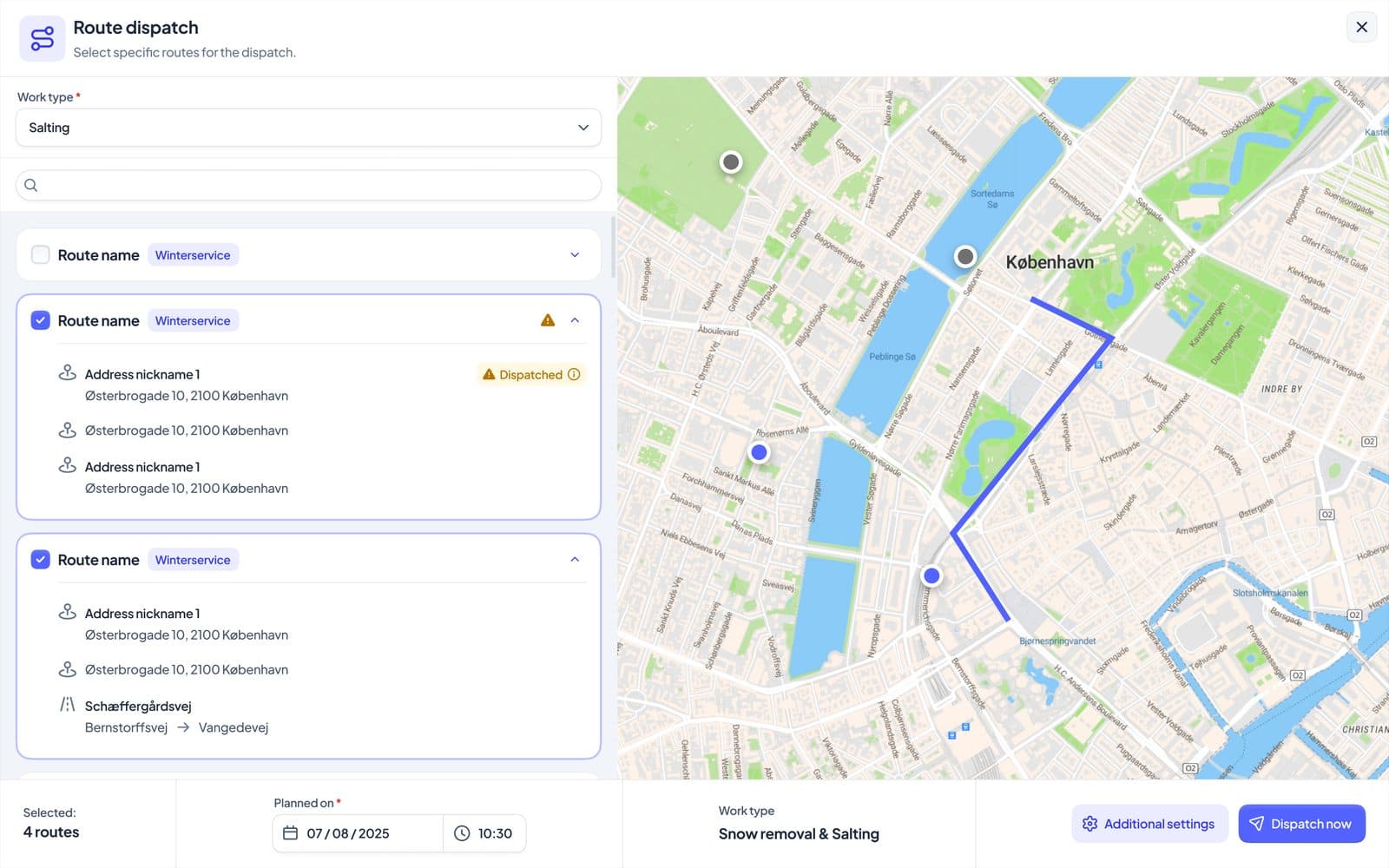
Go back to a dispatch and follow the run as it was driven: arrivals, departures and the trail in between. Useful the next morning, and just as useful months later.
- Drag back through a run on the map
- See every visit to a stop, with time inside the area
- Pick a day and relive the runs driven on it
- Gaps in the trail are marked, so missing data is never mistaken for missed work
One PDF that shows the work was done
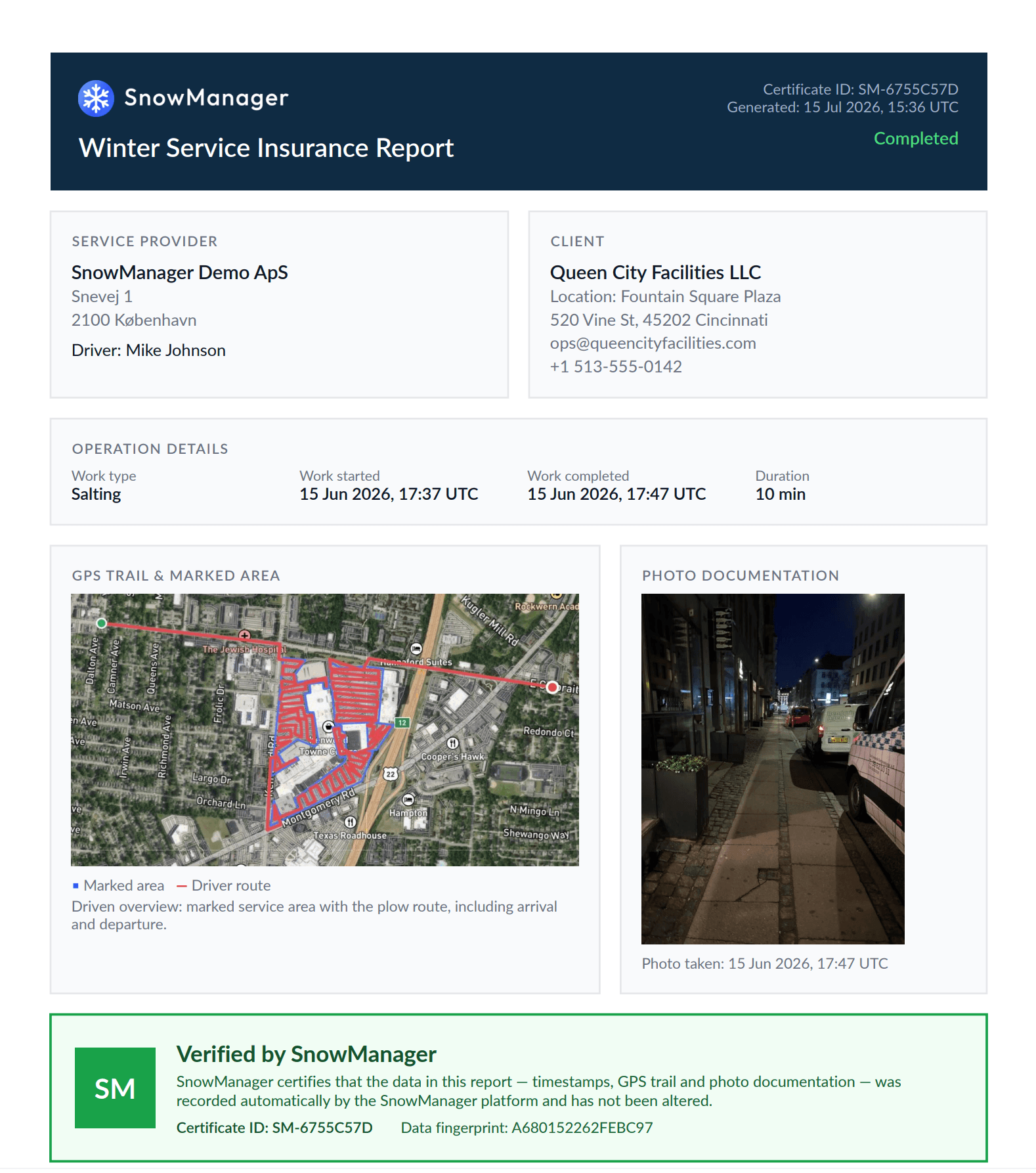
Every completed stop can produce an insurance report: a certificate of when the address was serviced, drawn from data the platform recorded automatically.
- Service provider, customer, address and driver
- Work type, snow depth, start, completion and duration
- A map of the marked service area with the driven route, including arrival and departure
- Up to two photos from the stop, each with the time it was taken
- A certificate ID and a data fingerprint to verify the report
Prefer not to show how long the work took? Turn off start times and duration, and the report shows only when the work was completed.
Evidence gathered while the work is done
Nothing has to be written up afterwards. The records are created as the night goes on.
Weather at dispatch
Each dispatch keeps the forecast the dispatcher saw when it was created, so you can show why crews went out.
Hours from GPS
Hourly-priced stops use the check-in and check-out times from GPS, so the invoice matches the trail.
Required photos
Require a photo before a stop can be completed, for the addresses where it matters.
A full dispatch log
Every change, check-in and completion on a dispatch is logged with the time it happened.
Fair to drivers
Tracking exists to document the work, not to watch people.
Only during a dispatch
The app tracks position while a dispatch is being driven. Outside of work, nothing is recorded.
Works without signal
Positions are stored on the phone when there is no coverage and uploaded when the connection returns.
Always visible
The phone shows when a run is being tracked, so drivers always know.
More from SnowManager
Municipalities
Road routes, live coverage and street history for winter road maintenance.
Driver app
Navigation, automatic check-in, photos and offline mode for every driver.
Invoicing
Invoice drafts from completed work, sent straight to your accounting system.
Subcontractors
Invite, dispatch and settle subcontractors from the same completed work.
See your own runs on the map
Book a 30-minute demo of live tracking, automatic check-in and the insurance report.